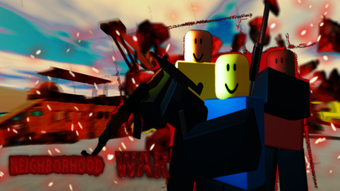

Neighborhood War: Fast-Paced Team Combat on Roblox
Overview
Neighborhood War is a free shooting game built within the Roblox platform, designed for players seeking fast-paced, team-based combat action. The game centers around competitive multiplayer matches where two opposing teams battle for dominance by accumulating the highest point total through eliminations. Players begin by selecting a color-coded team, with the option to join friends who are already in the game, as indicated on a team board.
This team selection phase helps maintain balanced gameplay and encourages social interaction. Once assigned, players enter the battlefield, where objectives revolve around strategic positioning, weapon mastery, and coordinated team efforts. The game emphasizes real-time combat, requiring players to adapt quickly to dynamic environments and enemy movements.
Maps are designed with challenging terrain, including platforms that lead to sub-space areas with hazards like lava, adding a layer of environmental risk. Players respawn in safe zones with full ammo, allowing for continuous engagement throughout each round. The game is ideal for fans of action-oriented multiplayer experiences, particularly those familiar with Roblox’s ecosystem and similar titles such as The Hood, The Streets, and Shindo Life.
While the developer did not provide additional background, the game’s design reflects a focus on accessibility, team synergy, and high-intensity gameplay.
Key Features & Capabilities
- Team-Based Combat: Players join one of two color-coded teams, fostering cooperation and strategic coordination. Team alignment is visible on a real-time board, helping users decide based on friend availability.
- Weapon Variety: A tiered weapon system includes primary guns, secondary firearms, and melee options. Players must manage ammo and switch tactics based on proximity to enemies.
- Strategic Respawn System: When eliminated, players return to a safe zone with full ammunition, enabling sustained participation in ongoing rounds without extended downtime.
- Dynamic Map Design: Maps feature complex layouts with hazardous zones such as lava-filled sub-space areas, requiring players to navigate carefully and avoid environmental hazards.
- Team Rescue Mechanics: Players can now use ropes to pull teammates to safety, replacing the older method of carrying with the letter T. This mechanic promotes teamwork and survival strategy.
- High-Intensity Objective Mode: Matches are time-limited, with victory determined by total kills and team points, encouraging aggressive yet calculated play.
These features support a gameplay loop that rewards coordination, adaptability, and quick decision-making. For example, using the rope to rescue a downed teammate allows the team to maintain numerical advantage, while securing the Mini-gun—a high-powered weapon—can shift momentum in a round. The game’s structure encourages players to balance offense and defense, especially in close-quarters combat where melee weapons become essential.
User Interface, Workflow & Performance
The user interface in Neighborhood War is designed for quick access to core gameplay functions. Upon launching, players are immediately directed to the team selection screen, where color-coded options are clearly displayed. The interface includes a real-time team board that shows which friends are already in a team, aiding in social gameplay decisions.
After selecting a team, players proceed to weapon selection, where primary, secondary, and melee weapons are listed with visual indicators. The workflow is streamlined to minimize delays between rounds, supporting rapid match initiation. Navigation is intuitive, relying on mouse and keyboard controls typical of Roblox games.
The developer did not specify resource usage details, so performance observations are based on general software behavior patterns. However, given the game’s 150 MB size, it is likely optimized for low to moderate system requirements. Stability appears consistent with standard Roblox experiences, though exact crash rates or CPU/RAM behavior were not disclosed.
The game’s responsiveness during combat suggests efficient handling of input and rendering, particularly in fast-paced scenarios.
Compatibility & System Requirements
Neighborhood War is available for both Windows and Mac operating systems, making it accessible to a broad user base across desktop platforms. The software version is 1.0, indicating a stable initial release. The installation size is 150 MB, which is relatively compact for a multiplayer game.
This suggests efficient packaging and minimal disk space usage. Exact system requirements were not listed, so users should refer to general Roblox platform guidelines for optimal performance. Compatibility information is limited to the operating systems mentioned.
Platform-specific optimizations or hardware recommendations were not provided. The developer did not specify whether the game requires a dedicated graphics card or minimum RAM levels. Users are advised to ensure their device meets the baseline requirements for running Roblox games, as Neighborhood War operates within that ecosystem.
Pros and Cons
Pros
- Free to play with no upfront cost
- Fast-paced, engaging team-based combat
- Intuitive UI with clear team and weapon selection
- Encourages teamwork through rescue mechanics and shared objectives
- Compact 150 MB file size reduces installation burden
- Runs on both Windows and Mac systems
Cons
- Exact system requirements not specified
- Performance behavior under load not documented
- Relies on Roblox platform, limiting standalone functionality
- Gameplay may feel repetitive over extended sessions
- No information on update frequency or future development plans
FAQ Section
Is Neighborhood War available for Windows and Mac?
Yes, Neighborhood War is compatible with both Windows and Mac operating systems, allowing desktop users on these platforms to play the game.
Is the game free to download and play?
Yes, Neighborhood War is completely free to download and play. There are no subscription fees or in-app purchases required to access core gameplay features.
Does Neighborhood War require a Roblox account?
Yes, since the game is hosted on the Roblox platform, a Roblox account is required to access and play Neighborhood War.
Can I play Neighborhood War offline?
No, Neighborhood War requires an active internet connection to connect to Roblox servers and participate in multiplayer matches. Offline play is not supported.
How often are updates released for Neighborhood War?
The developer did not provide information on update frequency. Players should check the game’s page on Roblox for announcements regarding new features or improvements.
Final Thoughts
Neighborhood War delivers a focused, high-energy team combat experience within the Roblox universe. Its streamlined workflow, emphasis on cooperation, and dynamic map design make it a compelling choice for fans of action-packed multiplayer games. The inclusion of a rope-based rescue system adds a meaningful layer of strategy, encouraging players to support their teammates rather than focus solely on individual kills.
While the game lacks detailed technical specifications, its 150 MB size and compatibility with both Windows and Mac suggest broad accessibility. The free-to-play model removes entry barriers, making it ideal for casual players and Roblox enthusiasts looking for fast rounds of team-based shooting. For those who enjoy competitive, social gameplay with a mix of strategy and reflexes, Neighborhood War stands out as a solid option.
Download Neighborhood War now to join the battlefield and test your skills in real-time combat.







